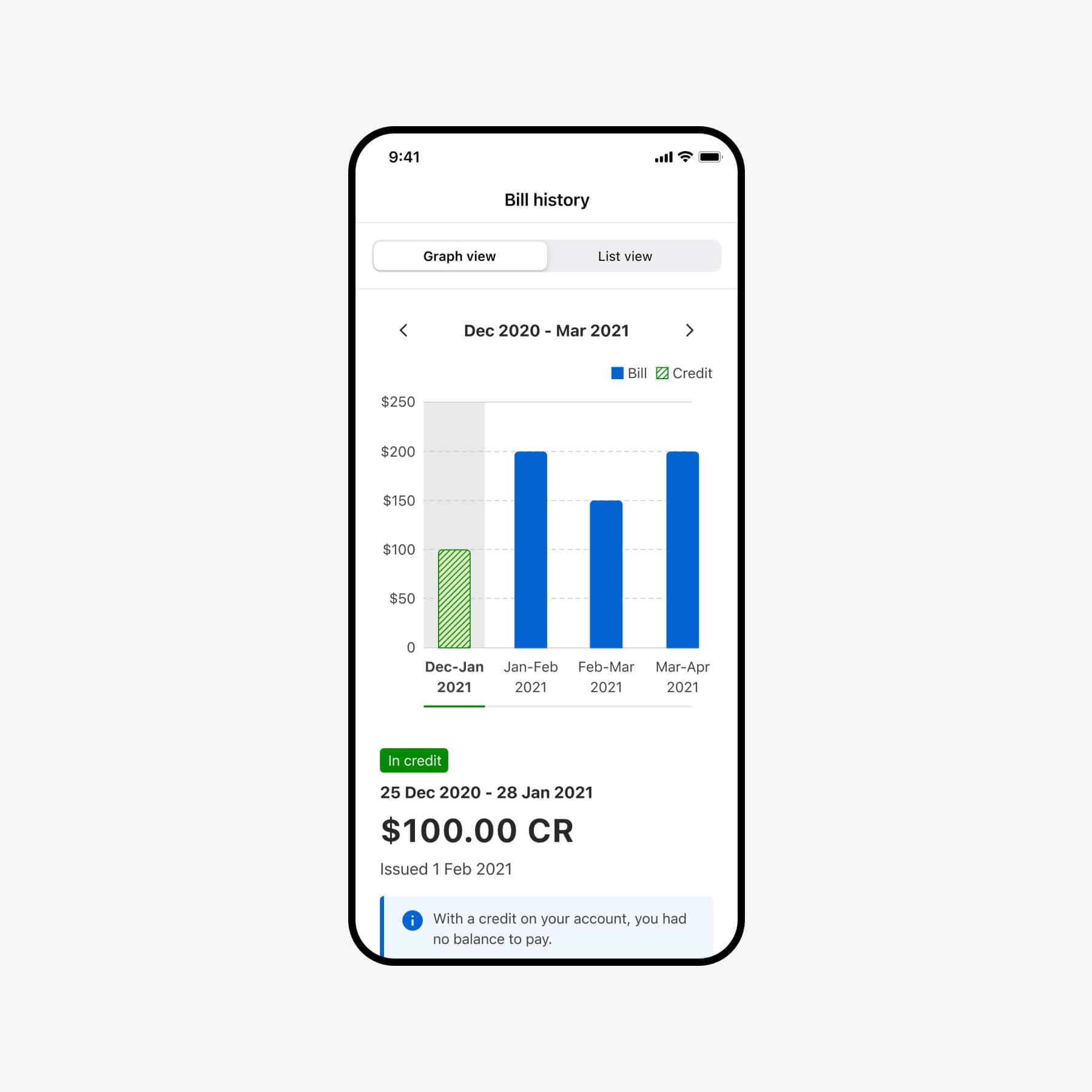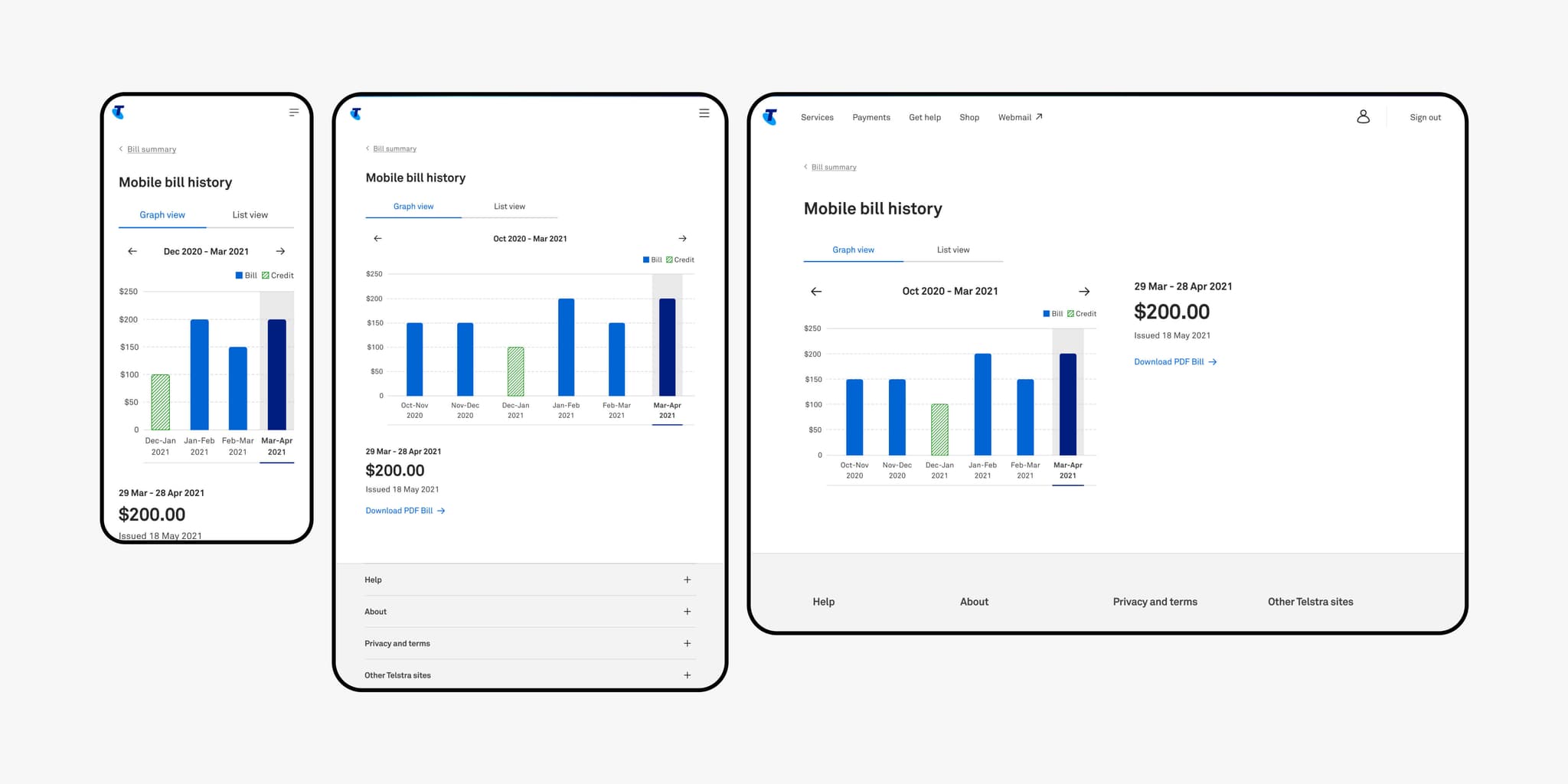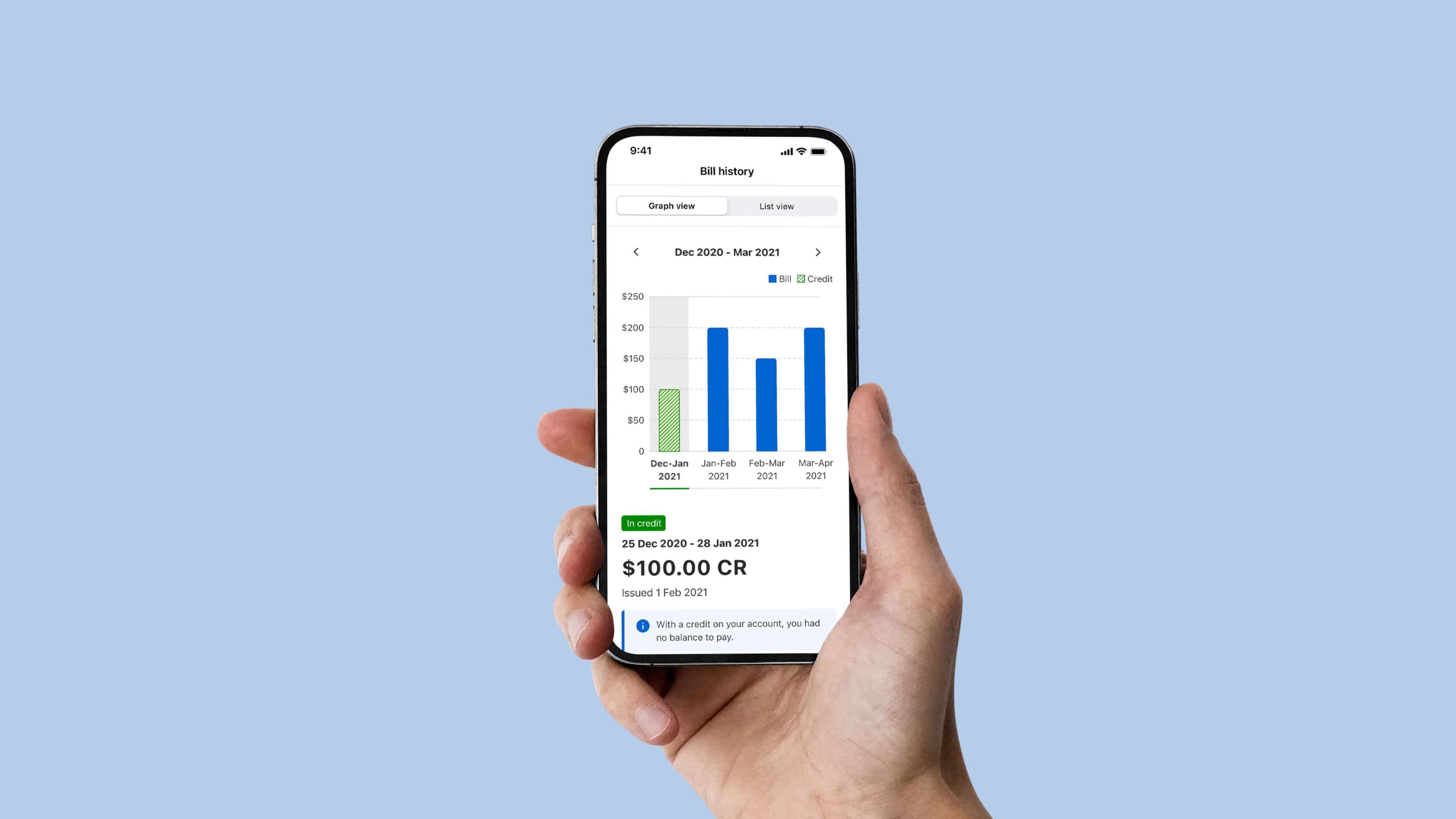
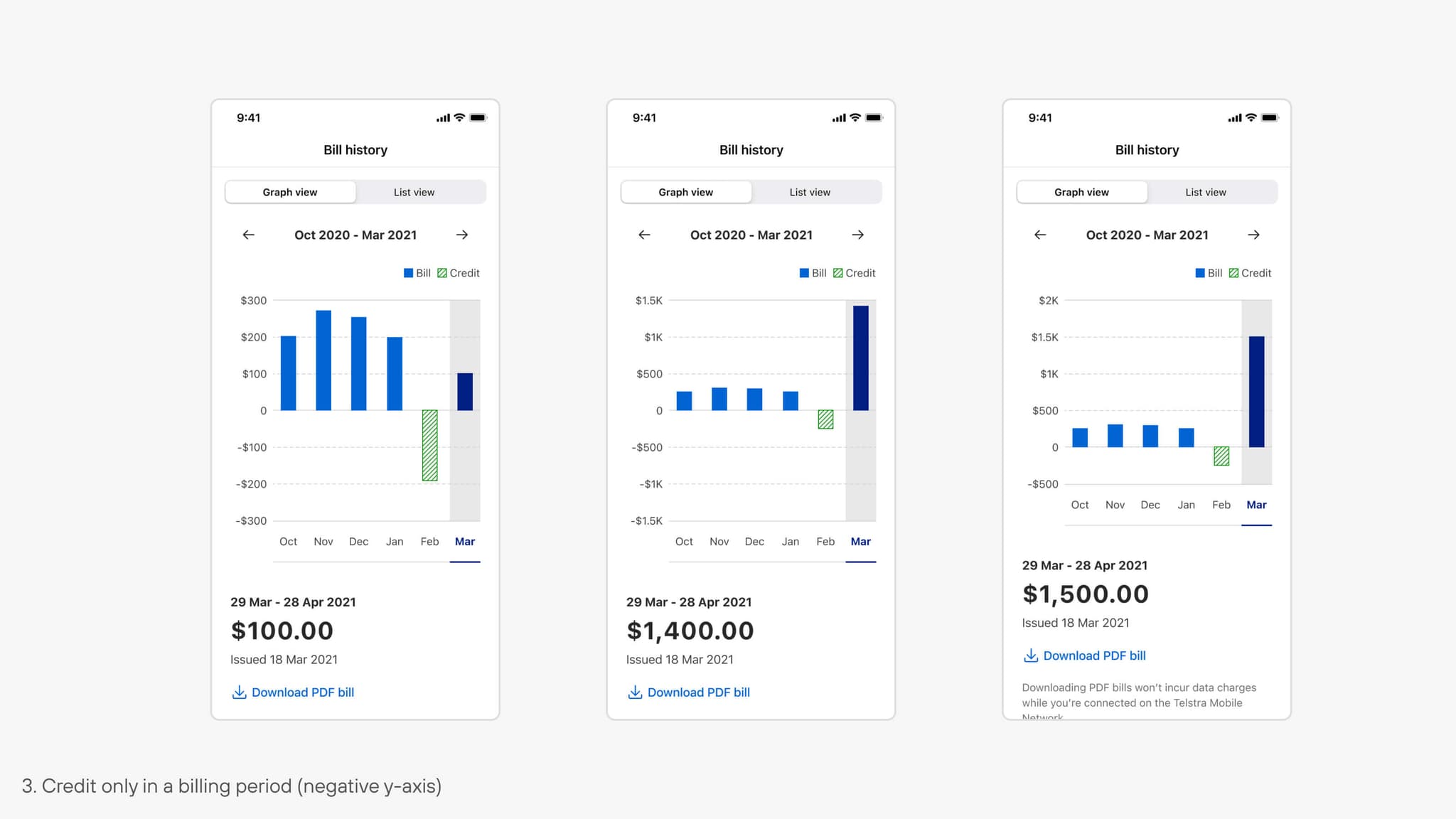
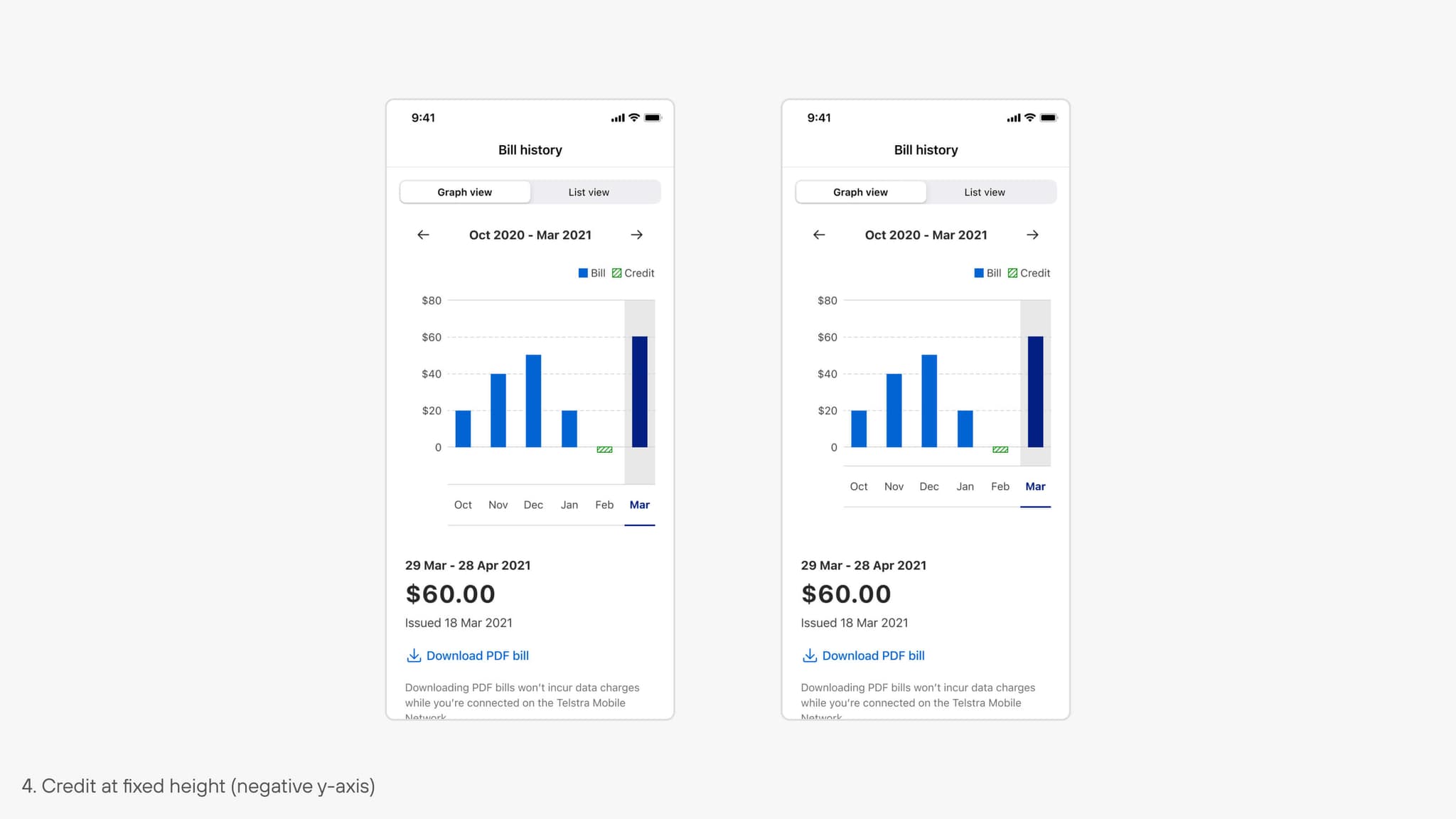
This project aimed to change the bill history data visualisation in MyTelstra web and mobile app so that the credit amount becomes more discernible and distinguishable from the usual bill amount.
The project also had additional challenges of accessibility requirements and a technical limitation on iOS. The following case study demonstrate the design process, challenges encountered and the final outcomes of the project.
Focus Areas
UI/UXThe original bill history graph caused confusion because bill and credit amounts looked identical. They shared the same color and style, and credit bars didn’t reflect actual values, making it hard to tell them apart and leading to misleading data interpretation.
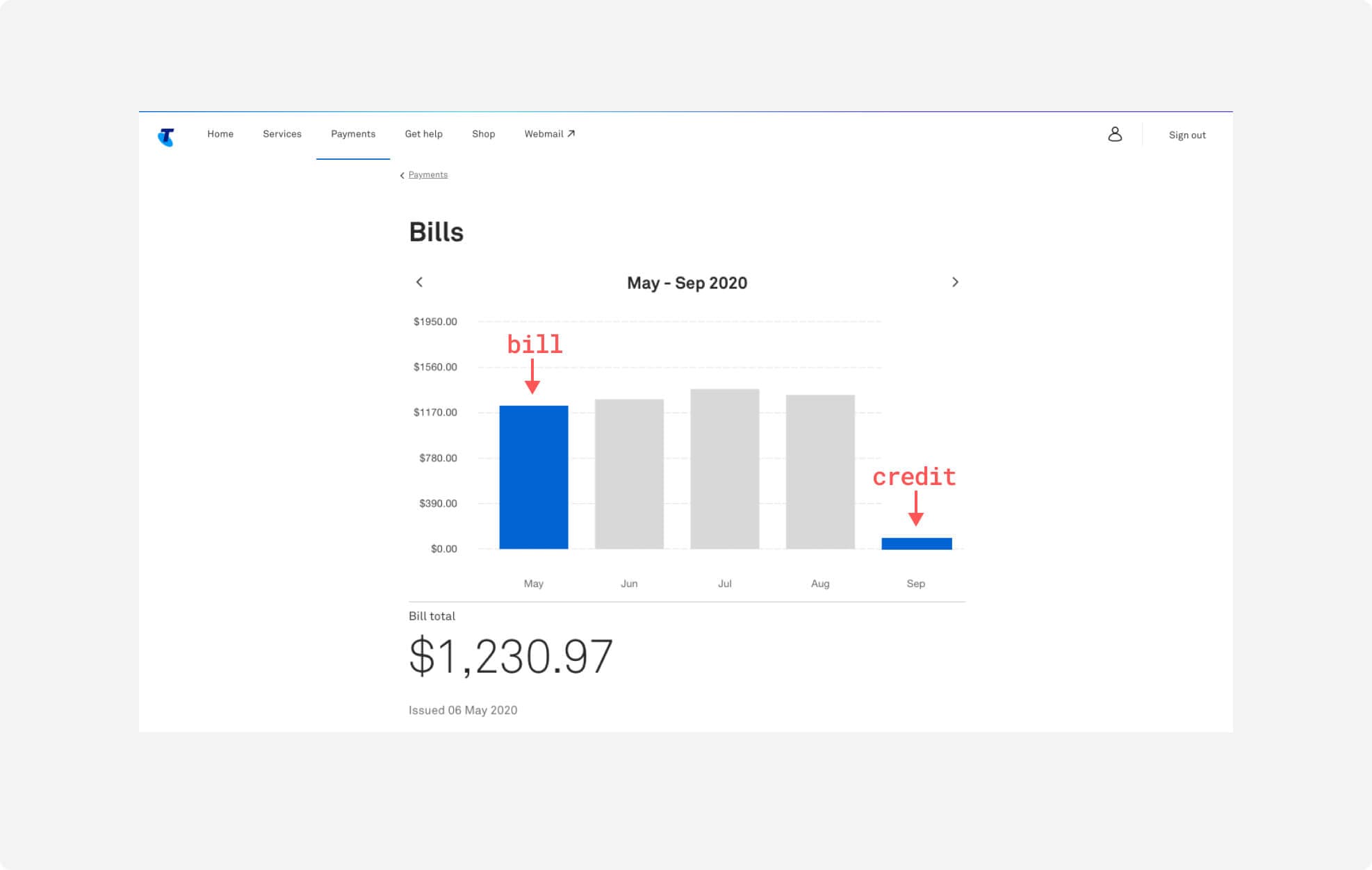
To address the user pain point, the goal was to design a clearer data visualisation that distinguishes between bill and credit amounts. Research and references informed rapid ideation on how to better represent credit amounts on a bar graph.
A basic luminance contrast test showed that the default blue and green lacked sufficient contrast, making it clear that relying on color alone wouldn’t ensure clarity or reliability.
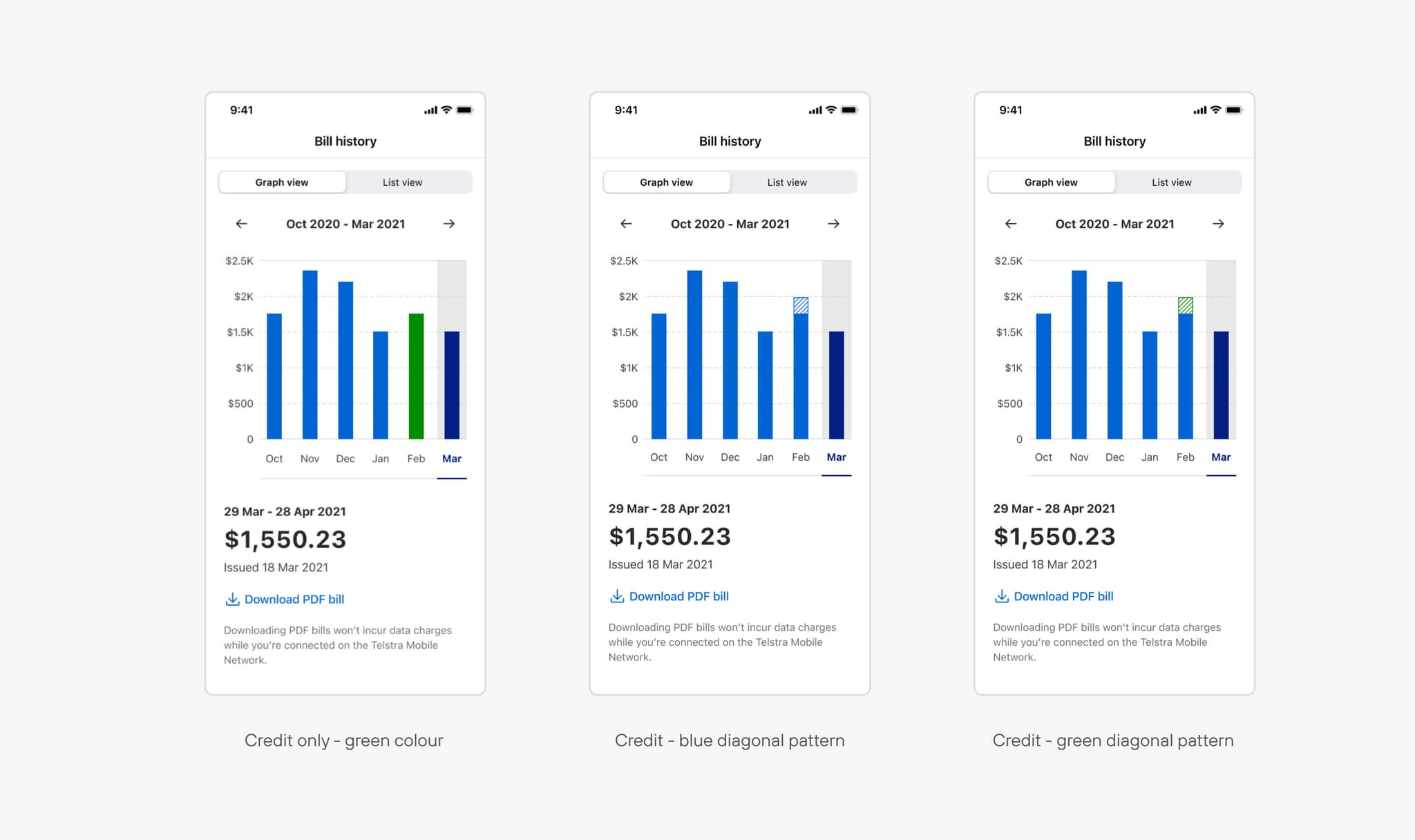
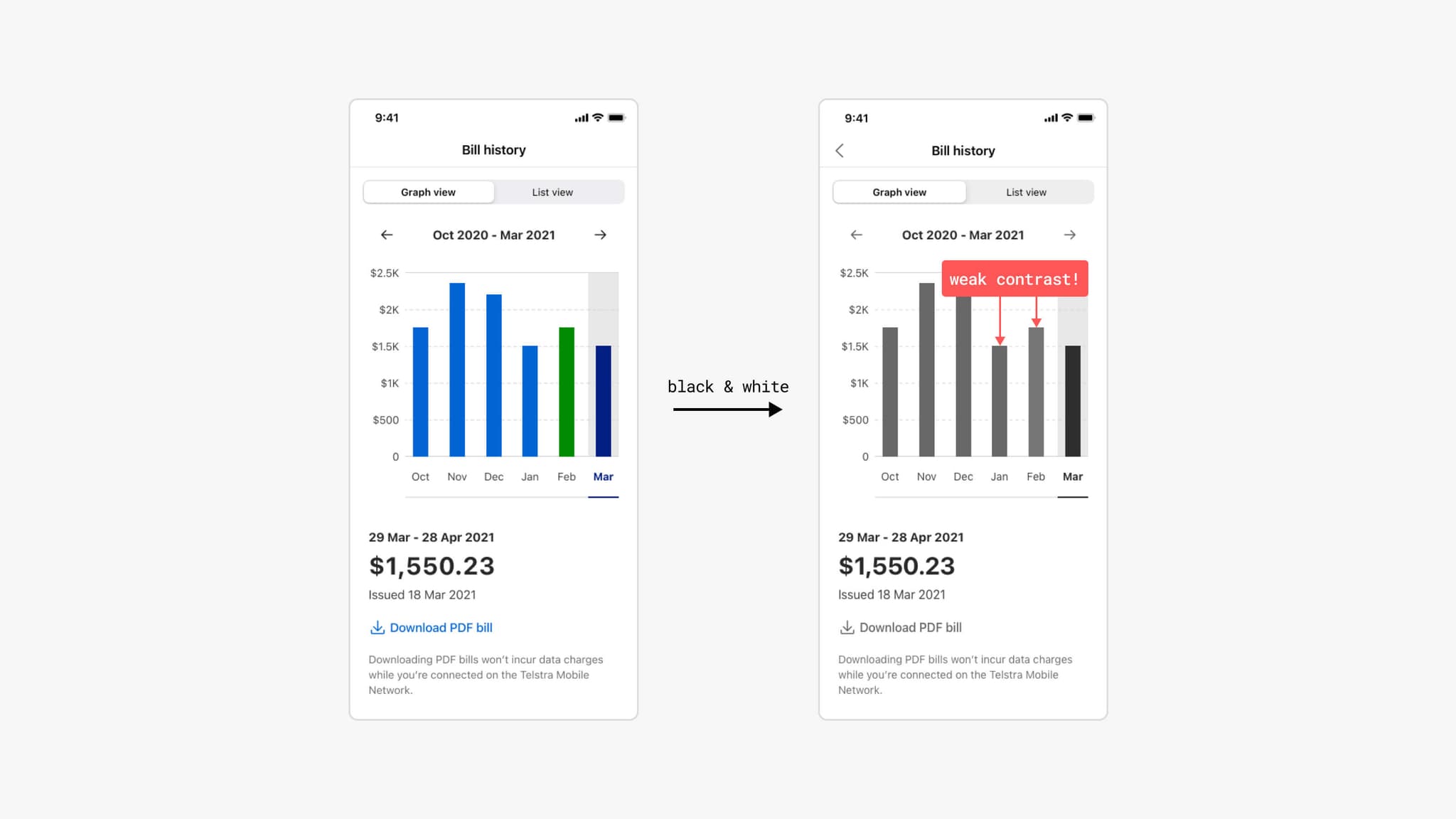
Following initial ideation, detailed design cases were developed, exploring different ways to represent credit amounts using various y-axis notations. Two rounds of design feedback sessions helped refine the concepts, incorporating both critique and business requirements to reach the final design.
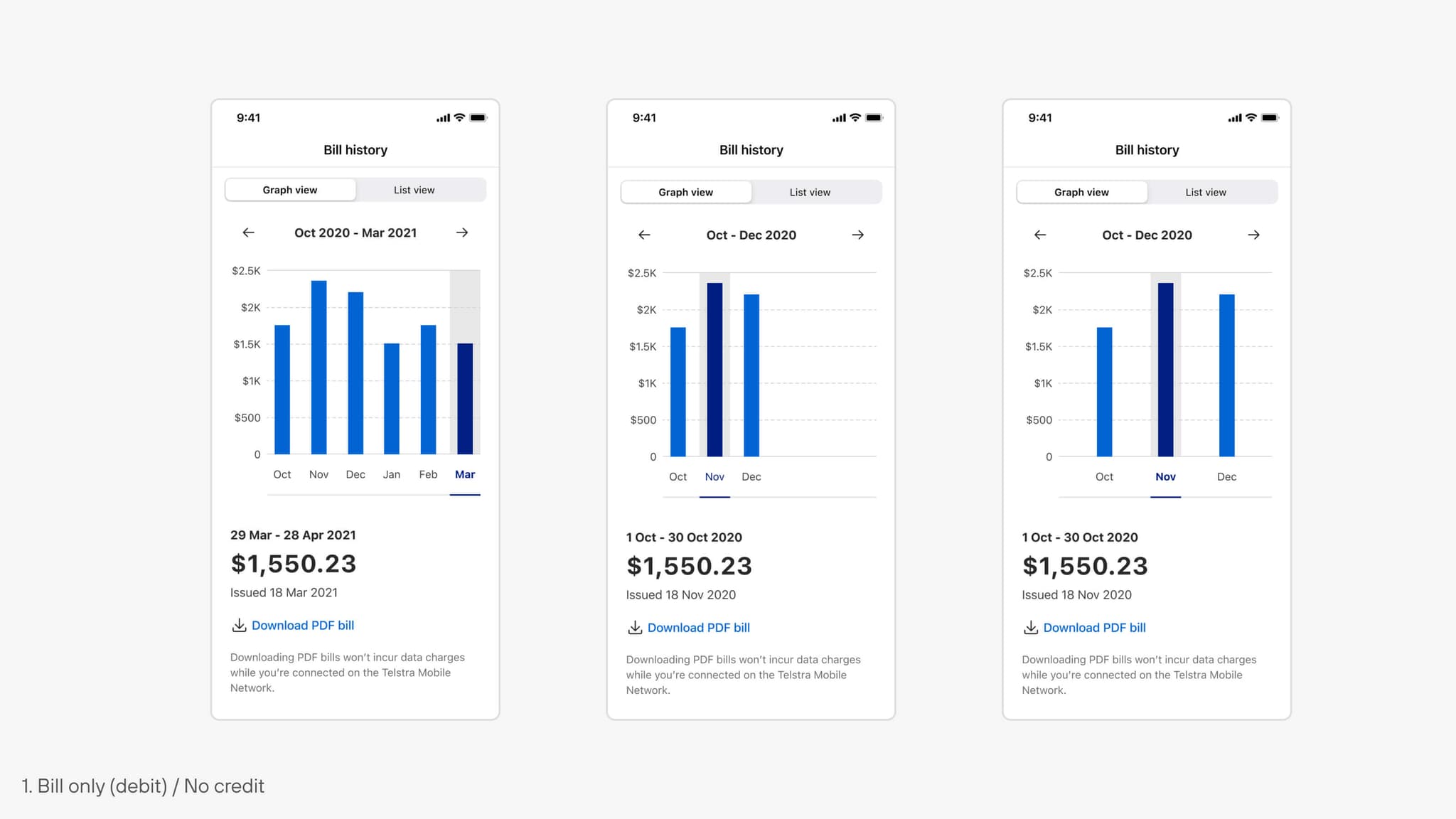
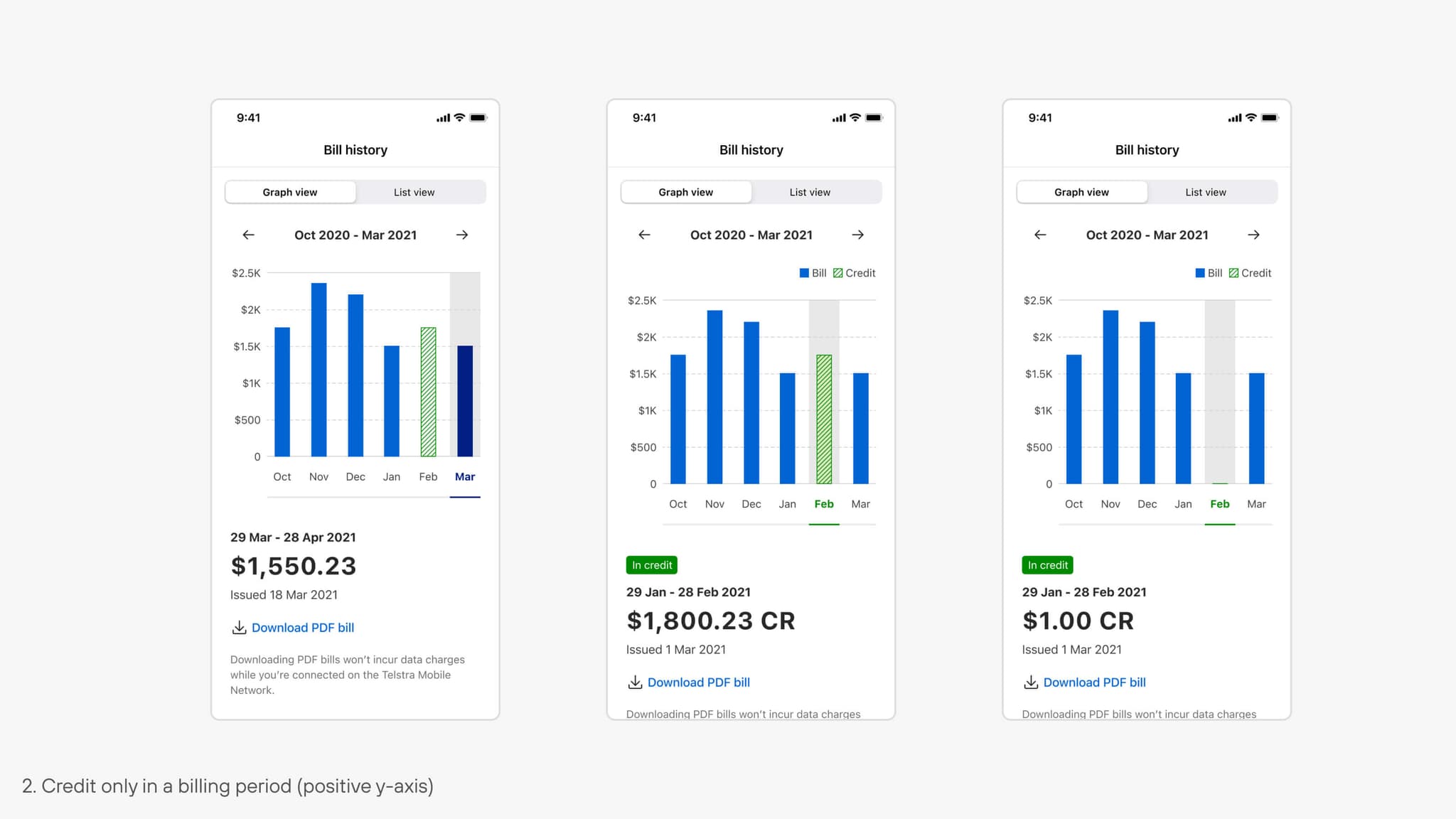
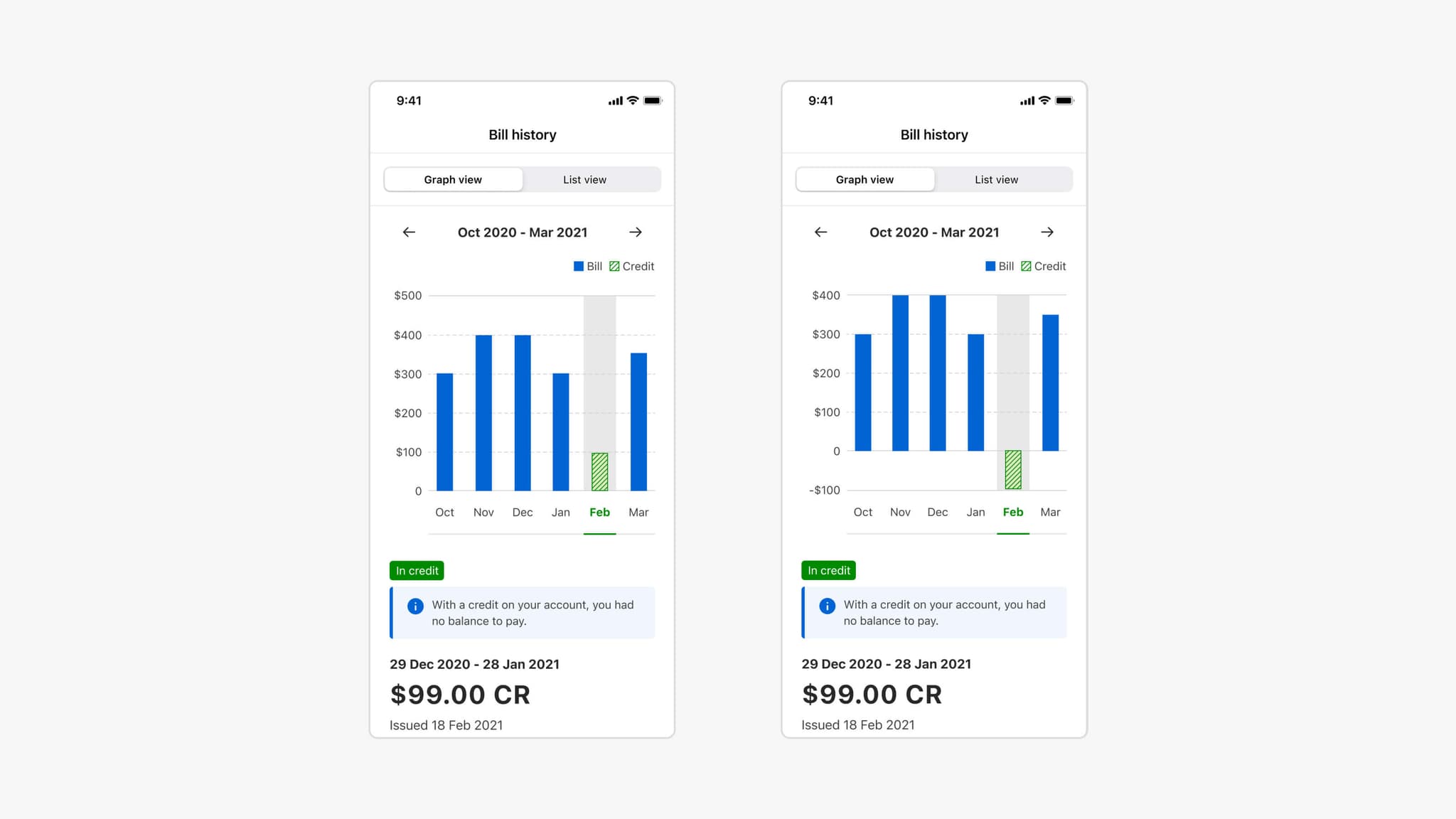
The final stage focused on aligning design elements with the design system and creating screens for all user scenarios across iOS and Android. The approved mobile and web designs ensure consistency with other data visualisations in the app and adapt to various device widths.